NEARMITRA FOR ANDROID
Small screen.
Big connections.
Put nearby devices within reach. Discover your PC, share a folder, join a call or start a conversation with a shared local AI engine.
DISCOVER YOUR OTHER DEVICES
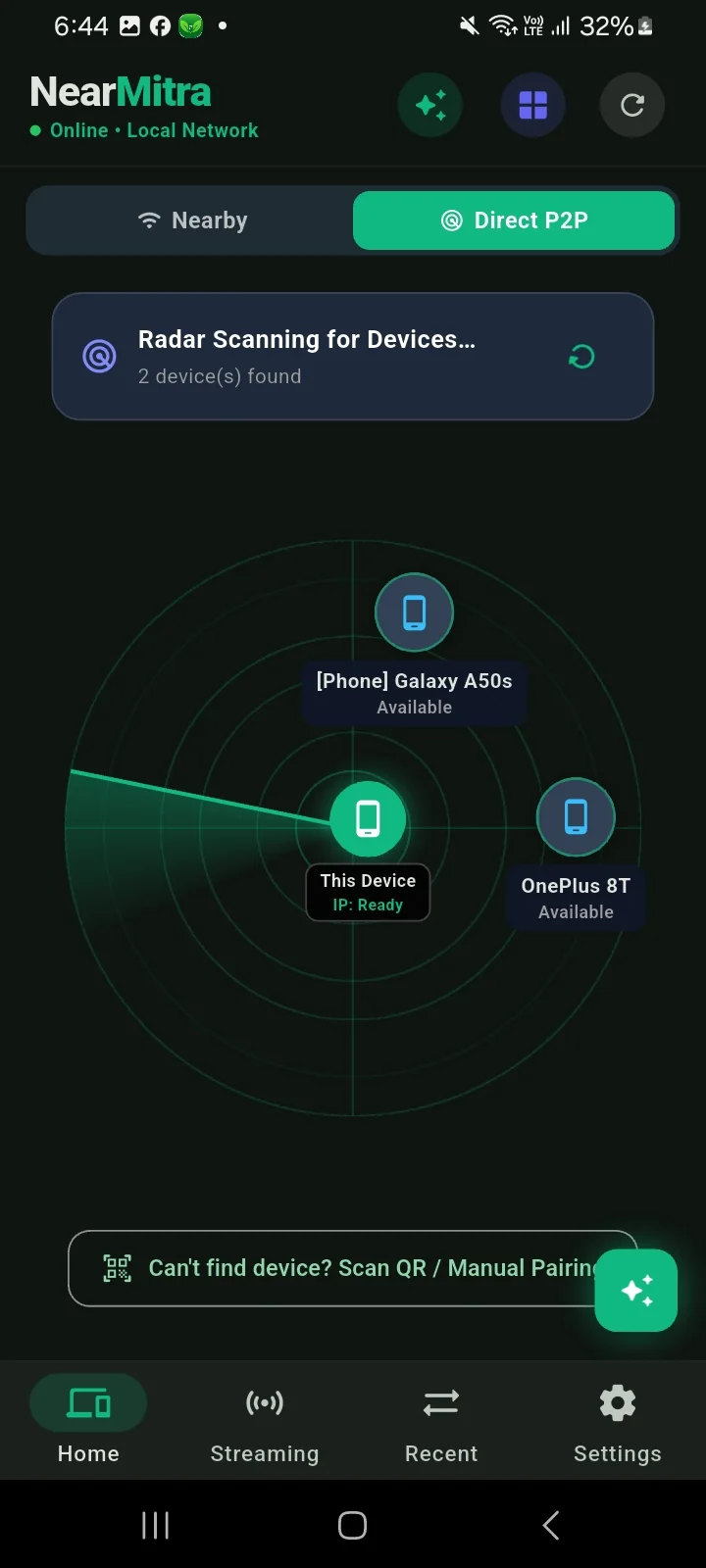
Open the radar.
Find your people.
Browse nearby devices from the Android app. Choose an available device to chat, transfer or request supported sharing features.
- Nearby LAN and supported P2P discovery
- QR or manual pairing where available
- Chat with replies, reactions and transfer history
FROM YOUR PHONE
A practical everyday companion.
From phone to PC. Just send it.
Share files and folders through a direct local connection, with progress visible in your conversation.
ExploreYour computer. Your AI engine.
Let an approved nearby device query an AI engine you have configured, including Ollama on Windows.
ExploreMore ways to be there.
Make voice and video calls, view an approved camera stream, or send PC audio to your phone.
ExploreYOUR FIRST CONNECTION
From install to hello.
- 01
Open both apps
Install or build NearMitra for Android and Windows. Keep both apps open for your first test.
- 02
Join a reachable network
Connect both devices to the same LAN, or set up a supported P2P connection. Grant the requested permissions for the feature you use.
- 03
Choose a device
Select the PC, send a short message and try a small file. Approve any sharing request on the receiving device.
MAKE IT YOURS
Get the Android app.
Find published assets on GitHub Releases, or build an APK from the source.
YOUR NEXT CONNECTION STARTS HERE.
Bring your devices
a little closer.
For Android & Windows. Built in the open.