MOVE THE FILE. KEEP THE FLOW.
From here
to your other device.
A document on your phone. A folder on your PC. Share through the conversation with your other device and follow the transfer as it happens.
FILES BELONG IN THE CONVERSATION
Send it.
See it arrive.
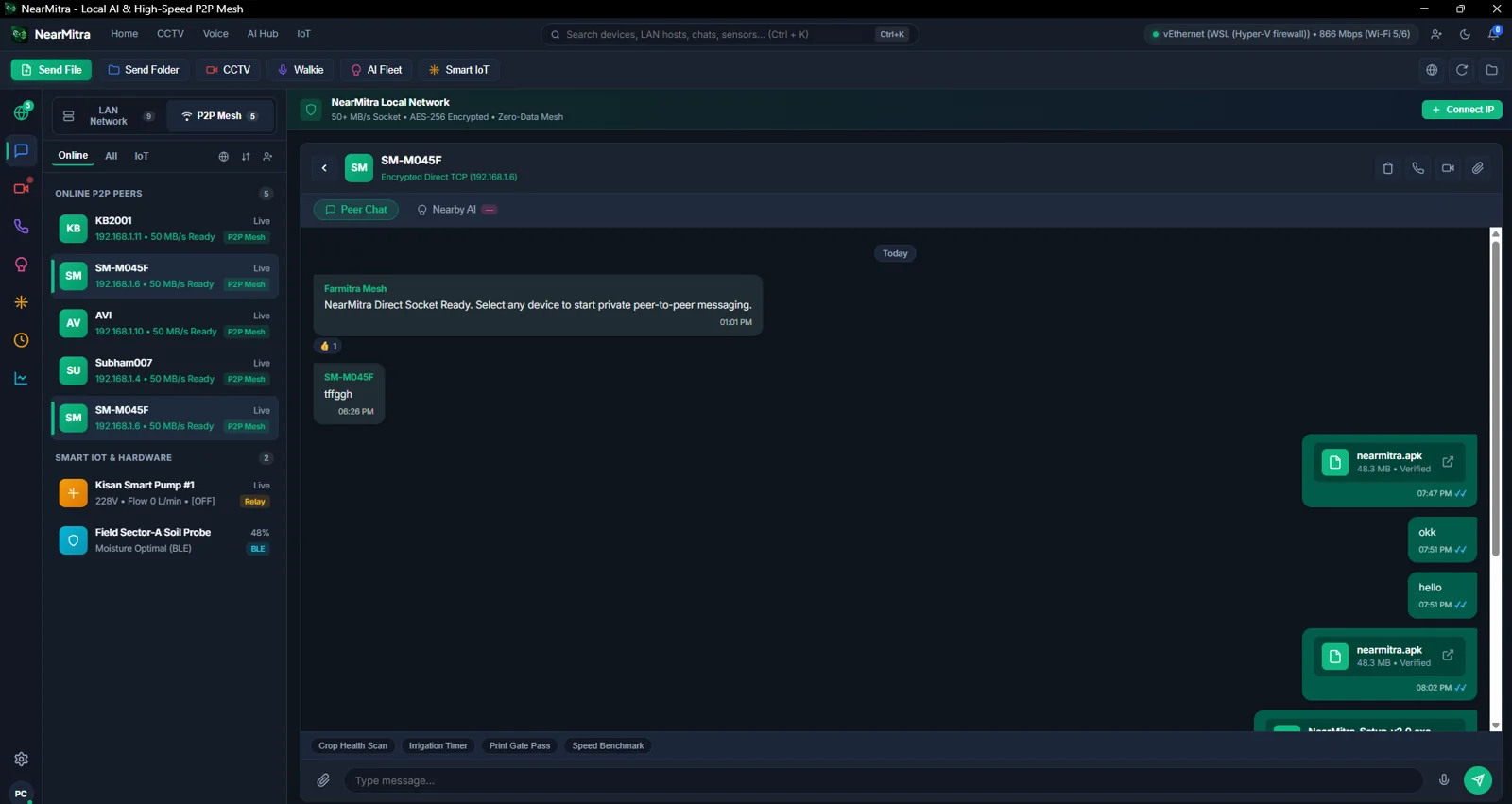
Share text, files and folders from a selected device conversation. Windows displays incoming progress, bytes, transfer speed and remaining time where available.
- Direct local routes preferred when available
- File and folder selection on supported builds
- Replies, reactions, copy and forwarding in chat
- Received-file access from your desktop workflow
YOUR FIRST TRANSFER
Three small steps.
- 01
Connect
Open NearMitra on both devices and establish a reachable LAN or supported P2P connection.
- 02
Select & send
Open the device conversation. Choose Send File or Send Folder and select the content you want to transfer.
- 03
Follow the progress
Keep both devices connected and watch the transfer. Open the received file or folder after completion.
LOCAL CONNECTIONS, PRACTICAL EXPECTATIONS
Let your network do the work.
Transfer speed depends on Wi-Fi quality, storage, device hardware and network congestion. UI speed labels are not a measured performance guarantee.
YOUR NEXT CONNECTION STARTS HERE.
Bring your devices
a little closer.
For Android & Windows. Built in the open.